What makes a digital parking program actually work
Going digital is the easy part. The programs that work make it easy to register, easy to find the rules, and easy for a guest at 9 PM.
In short
- The software isn’t the win. Residents registering their cars is.
- Registering should be something a resident can finish on a phone at night, with no password and no trip to the office.
- Reminders should go out on their own, and you should see exactly who’s stuck and where.
- Put the rules in one place, and let the sign walk a guest through it after hours.
A digital parking program works when residents actually register, and that comes down to a few plain things. Registering takes a phone and no password. Reminders go out without anyone chasing. The rules live in one place. And the sign in the lot can walk a guest through it at 9 PM, with nobody in the office. Get those right and your office spends a lot less of its week being the parking help desk.
Because the launch is one email and a PDF of rules, and the work is everyone else’s. Programs tend to get stuck in the same few places. Residents get one email, mean to register, and forget. The invitation asks for a password nobody will remember. The rules live in an old PDF. A guest arrives after hours and can’t tell where to park. Then enforcement starts, a resident who never registered finds a notice on their windshield, and the whole program takes the blame.
None of that is a software problem. It’s an adoption problem, and adoption is mostly about removing the small bits of friction before anyone runs into them.
Easy enough to do from the couch at 10 PM. In Parkva, residents sign in with a link or a code sent to the email or phone the office already has, so there’s nothing to download and no password to create. They add their car, and the portal shows them right away whether it’s permitted or what’s still needed.
If the office has already brought in plates from an old list or the rent roll, residents don’t type anything: they confirm the car that’s waiting for them. And if someone isn’t on the resident list yet, they can scan the property’s sign and ask for access, and the office approves them from one queue.
By knowing exactly who they are, and what’s in their way. Parkva’s Invite & remind sorts your residents into plain groups: not invited yet, invited but it never reached them, invited a while ago and still not signed in, signed in with no car, and no usable email or phone. Each group needs a different nudge, and each message asks for just the one thing that home still has to do.
Reminders then go out on their own: a week after the invitation, then about monthly, during the day in the property’s time zone and never late at night. They stop as soon as someone at the home signs in. If an email bounces, the same invitation goes by text. And before anything goes out, your office sees who it will reach and how.
In one place, written the way a resident reads them. Parkva builds a “how parking works here” summary from your property’s settings, and the same settings feed a public rules page that residents and guests can open from the sign: who parks where, how many cars a home can register, how guests work. Change a setting and the page follows, so the rules people read never drift away from the list the patrol checks.
Before you announce anything, read the invitation, the sign, and the rules page side by side. If they disagree, residents will notice before you do.
They should be able to, with nobody to ask. Picture it: the resident is upstairs, the office is closed, and a friend is circling the lot.
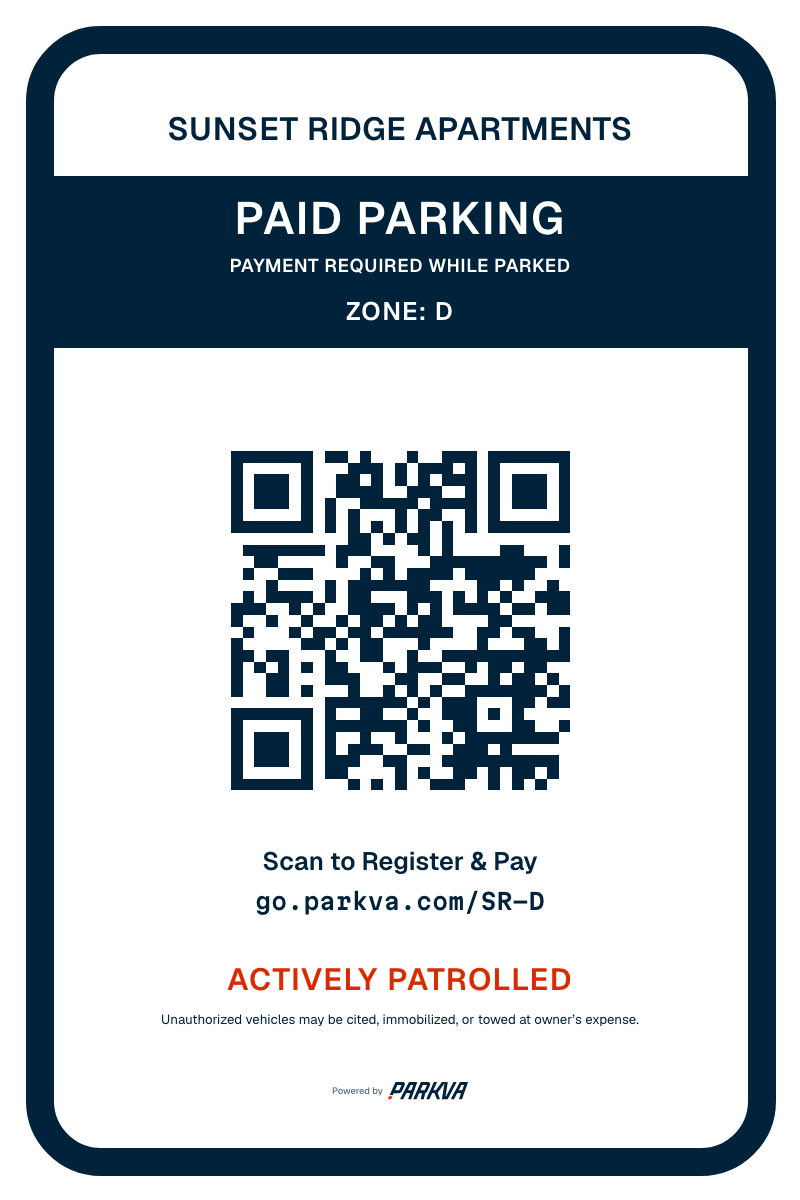
Each zone has its own sign with a QR code, and a scan opens whatever that zone offers right now, like a free visit or a paid stay where you charge for one. If someone types the code by hand, the page names the property and zone first, so nobody registers at the wrong lot. Or the resident simply texts their guest the link.
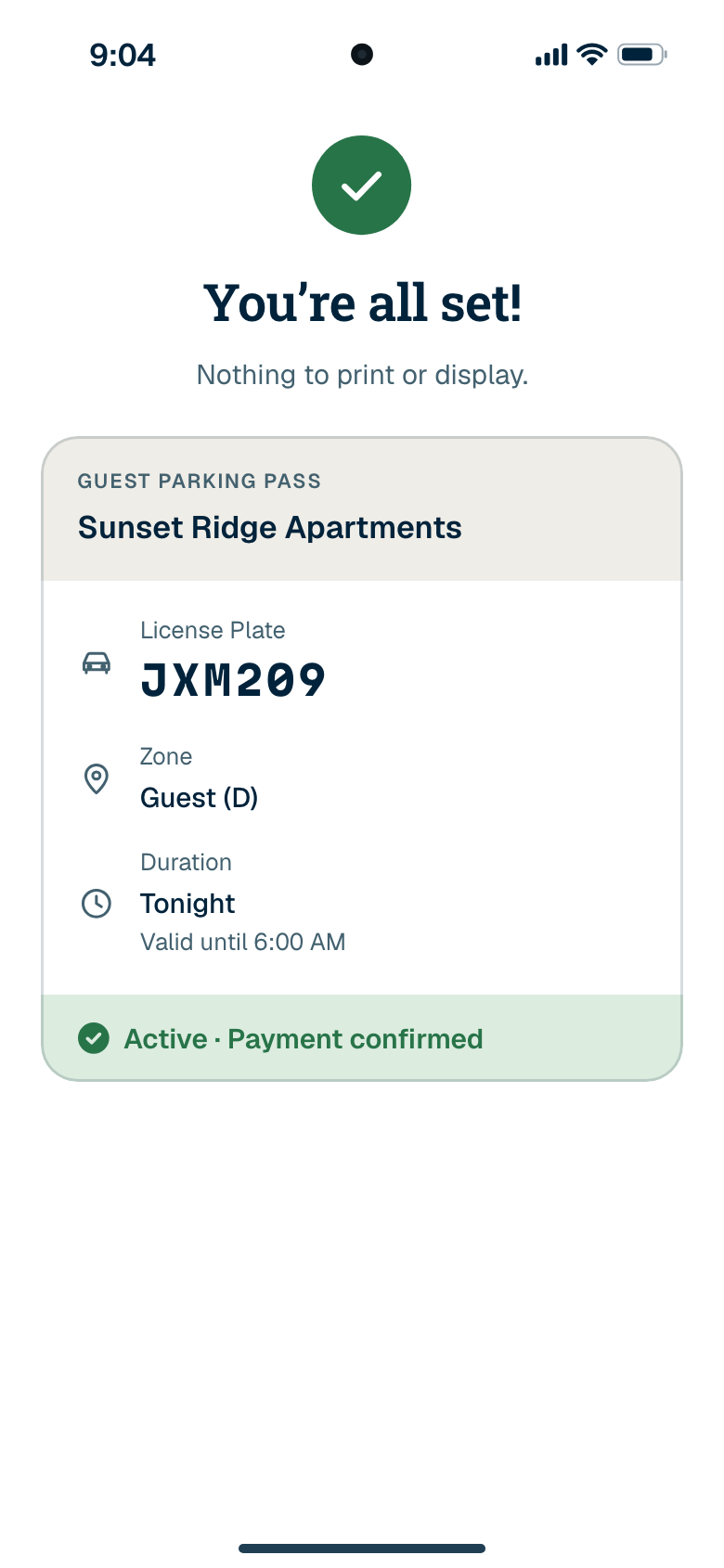
The guest enters a plate, picks how long they’re staying within your limits, and gets a confirmation with the end time, the rules, and your contact. Nothing to download, no account. If your enforcement provider runs Parkva Patrol, that pass is already on the list they check. One note: these are registration signs. Whatever towing signs your state or city requires still go up as they do today.

Give people a runway, and tell them when it ends. Parkva lets you set an enforcement start date, and in the week before it the reminders become a countdown, a week out and again the day before, so nobody is surprised. Your enforcement provider can open with printed warnings, each with its own countdown, so a car that isn’t registered yet gets a note on the windshield first, not a charge.
Agree on that plan with your enforcement provider before the invitations go out. Then use the Invite & remind groups to help the last few homes in person before the date.
Walk the whole thing yourself, as if you’d just moved in.
Parkva Permit is the system behind all of this: see how Parkva Permit works, or see how resident and guest parking plays out over an ordinary week.